Help

Answers to the most common questions about the ChatGPT to PDF extension.

How to use the ChatGPT to PDF Extension

Using the extension takes just two steps:

Step 1

Open ChatGPT

Open chatgpt.com in your browser. Works only on the ChatGPT web interface.
Step 2

Export Your First Conversation

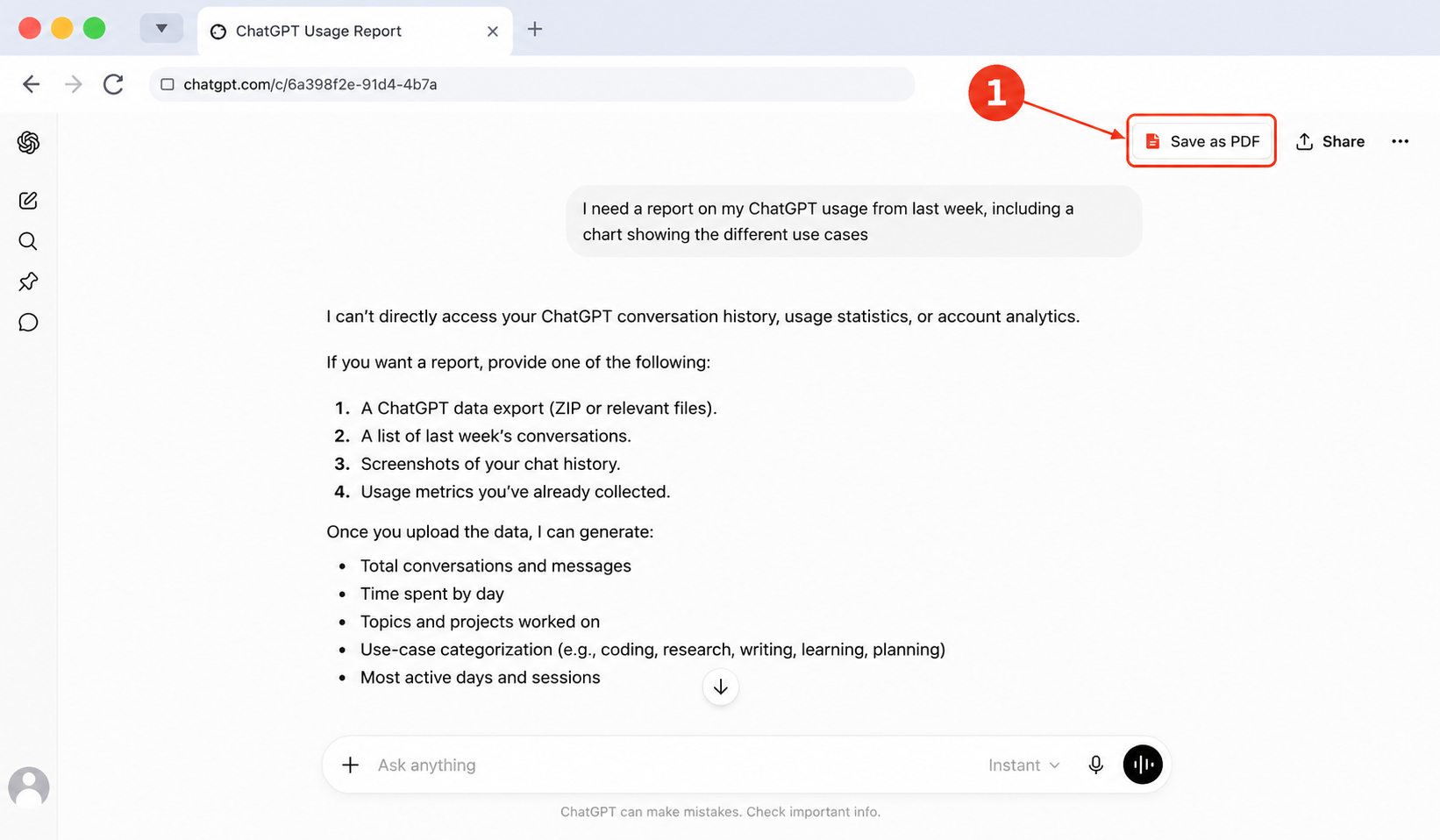
— Open any conversation and click Save as PDF.
Click Save as PDF in ChatGPT
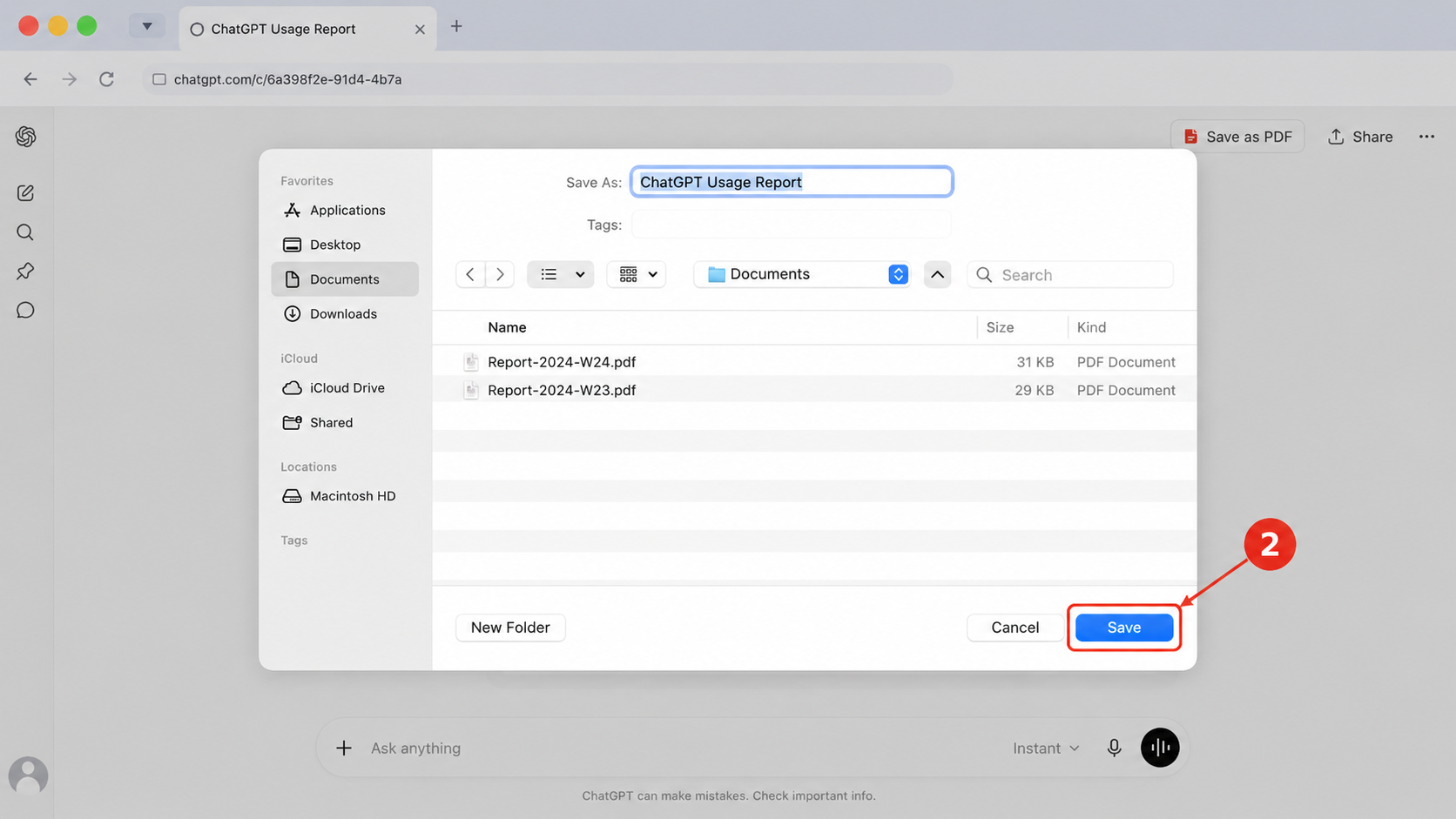
Choose a location and click Save
How to download a conversation from ChatGPT

Open ChatGPT and select the conversation you want to download.

  1. Click the Save as PDF button.
  2. Enter a file name if needed.
  3. Choose where to save the file.
  4. Click Save.

Your conversation will be downloaded as a PDF document.

How to print a ChatGPT conversation to PDF
  1. Open the ChatGPT conversation you want to print.
  2. Click the Save as PDF button in the top-right corner.
  3. In the save window, choose a destination on your computer.
  4. Click Save to generate the PDF file.
  5. Open the downloaded PDF document.
  6. Use your PDF viewer's Print option if you need a paper copy.

Still need help? Contact us.